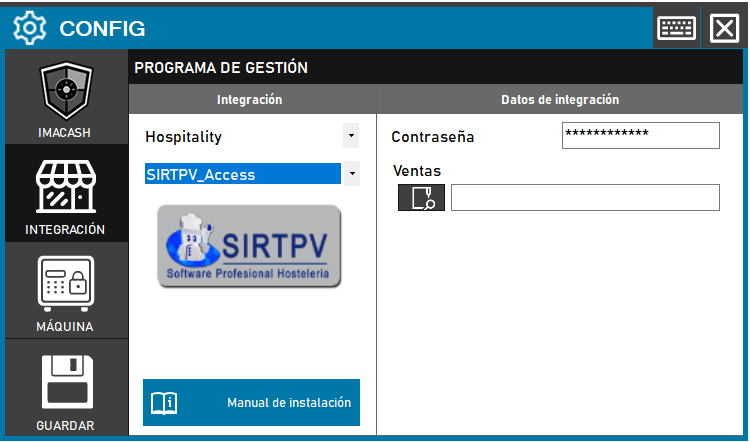
To integrate SirTPV Software with ImaCash, the technician will need to link the terminal database file and provide the document encryption credentials.
Steps to follow:
- CONFIG → INTEGRATION in ImaCash.
- Management Program:
- Category: Hospitality.
- Integration: SirTPV.
- Integration data:
- Database: Click on the search icon to open the dialog box and select the “*.mdb” file that contains the SirTPV database.
- Contraseña: Private information provided by the administrator. Enter it only in ImaCash.
- Save: Click the SAVE button (floppy disk icon).