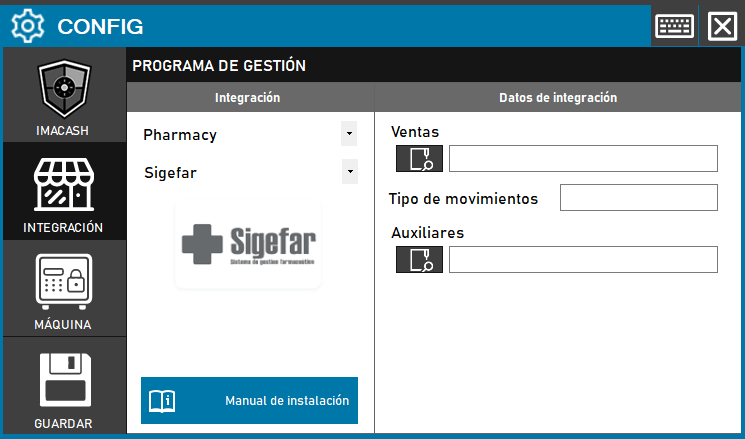
For the integration of the Sigefar Software, the technician must configure the data exchange routes. Communication is carried out through files that must be provided by the technicians of the management program itself.
Steps to follow
- CONFIG → INTEGRATION in ImaCash.
- Management Program:
- Category: Pharmacy.
- Integration: Sigefar.
- Integration data:
- Sales: Click on the folder icon and select the reported path for the sales files.
- Type of movements: Enter the code or parameter corresponding to the type of operation.
- Auxiliary: Select the directory path where the auxiliary files are located.
- Save: Click the SAVE button (floppy disk icon).