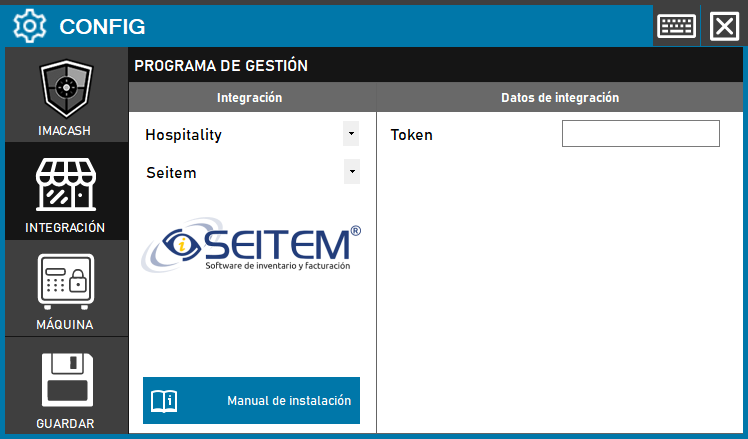
To integrate the Seitem Software with ImaCash, the technician must enter the security code or Token provided by the inventory and billing software to enable communication between both systems.
Steps to follow
- CONFIG → INTEGRATION in ImaCash.
- Management Program:
- Category: Hospitality.
- Integration: Seitem.
- Integration data:
- Token: Private information provided by the administrator. Enter it only in ImaCash.
- Save: Click the SAVE button (floppy disk icon).