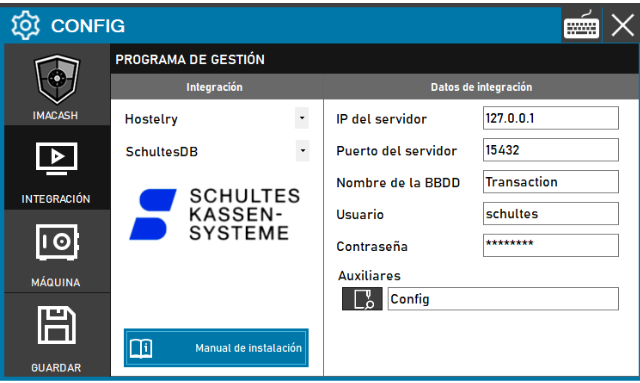
This setting is used when real-time synchronization is required by directly accessing the program's data structure.
Steps to follow:
- CONFIG → INTEGRATION in ImaCash.
- Management Program:
- Category: Hospitality.
- Integration: Schultes DB.
- Integration data:
- Server IP: Enter the IP address where the database is hosted.
- Database Name: Enter the technical name of the database.
- Contraseña: Private information provided by the administrator. Enter it only in ImaCash.
- Save: Click the SAVE button (floppy disk icon).