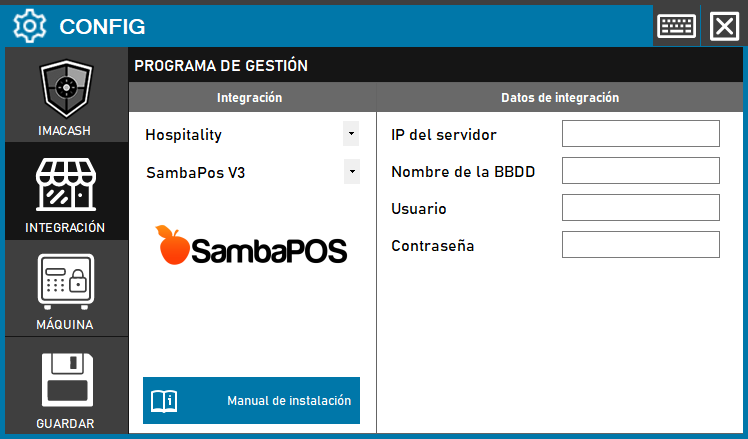
Version V3 requires a direct connection to the SQL database where real-time transactions are stored.
Steps to follow:
- CONFIG → INTEGRATION in ImaCash.
- Management Program:
- Category: Hospitality.
- Integration: SambaPOS V3.
- Integration data:
- Server IP: Enter the IP address of the server SQL.
- Database Name: Enter the name of the SambaPOS database.
- Contraseña: Private information provided by the administrator. Enter it only in ImaCash.
- Save: Click the SAVE button.