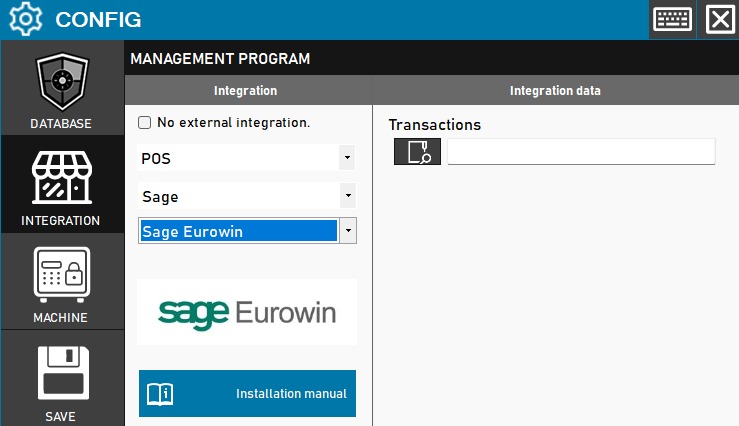
The technician must specify the exact directory where the transaction files will be stored and read to enable communication between both systems.
Steps to follow:
- Access the CONFIG → INTEGRATION menu in the side interface of ImaCash.
- In the Management program section, select the following values:
- Category: Retail.
- Integration: Eurowin.
- In the Integration Data section, configure the following field:
- Sales: Click on the magnifying glass icon to navigate and select the folder path for bidirectional file exchange.
- Click the GUARDAR button (floppy disk icon) on the left panel to confirm and activate the setting.