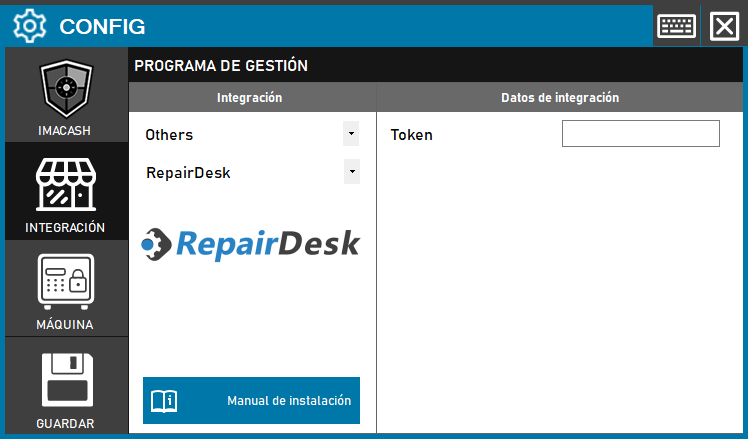
To integrate the RepairDesk Software with ImaCash, the technician must enter the security code or Token provided by the provider to validate the communication between both platforms.
Steps to follow:
- CONFIG → INTEGRATION in ImaCash.
- Management Program:
- Category: Others.
- Integration: RepairDesk.
- Integration data:
- Token: Private information provided by the administrator. Enter it only in ImaCash.
- Save: Click the SAVE button (floppy disk icon).
Technical note: To ensure the correct functioning of this integration, it is essential to always fill in the amount field delivered in the management software; this way, ImaCash will recognize and process it as a cash sale.