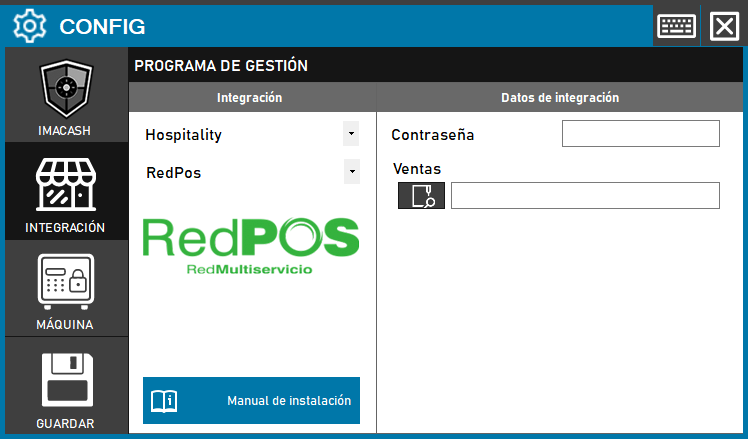
To integrate the Red POS Software with ImaCash, the technician must locate the data exchange folder where the management program records its sales. Additionally, a security key must be entered if the system requires it.
Steps to follow
- CONFIG → INTEGRATION in ImaCash.
- Management Program:
- Category: Hospitality.
- Integration: RedPos.
- Integration data:
- Contraseña: Private information provided by the administrator. Enter it only in ImaCash.
- Sales: Click the folder icon and select the path where sales for Red POS are saved.
- Save: Click the SAVE button (floppy disk icon).