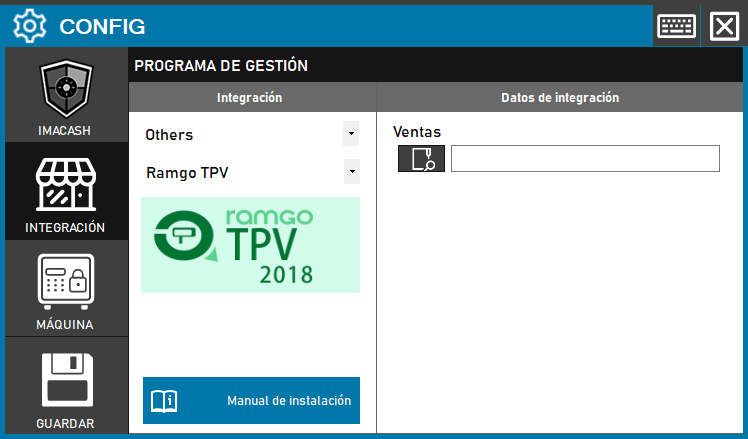
To integrate the Ramgo POS Software with ImaCash, the technician must locate and configure the path of the specific directory where the management program stores the records of its sales.
Steps to follow
- CONFIG → INTEGRATION in ImaCash.
- Management Program:
- Category: Others.
- Integration: Ramgo TPV.
- Integration data:
- Sales: Click the folder icon and select the directory path where Ramgo TPV sales are saved.
- Save: Click the SAVE button (floppy disk icon).