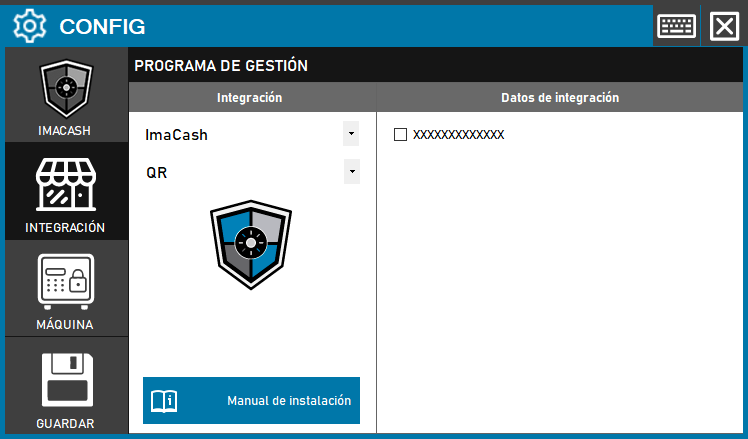
To configure the QR code integration in ImaCash, the technician must activate the corresponding option in the management panel to allow this identification or payment method.
Action required- Enable the checkbox in the integration data to activate the QR functionality in the system.
Steps to follow:
- Open CONFIG → INTEGRATION from the ImaCash side panel.
- In the Management software section, select the following values:
- Category: ImaCash.
- Integration: QR.
- In the Integration Data section, select the check box next to the text field (indicated as XXXXXXXXXXXXXX) to activate the feature.
- Click the SAVE button (floppy disk icon) to confirm activation.