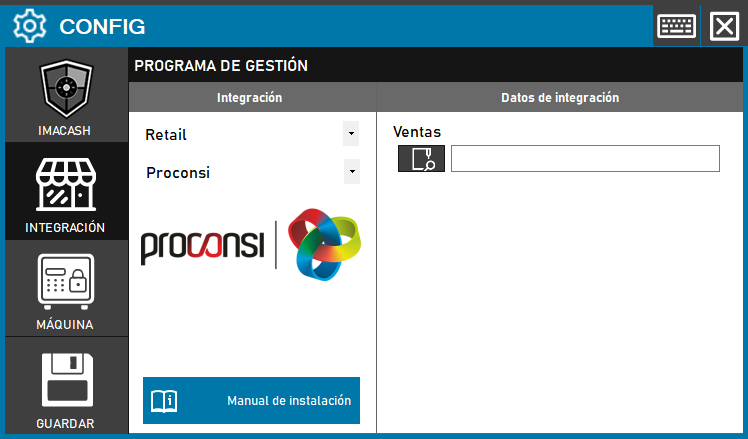
To integrate the Proconsi Software with ImaCash, the technician must specify the path of the local or network directory where the management program stores its sales files. It is important to note that this integration requires communication enablement by the third-party provider.
Steps to follow
- CONFIG → INTEGRATION in ImaCash.
- Management Program:
- Category: Retail.
- Integration: Proconsi.
- Integration data:
- Sales: Click the folder icon and select the path where sales for Proconsi are saved.
- Save: Click the SAVE button (floppy disk icon).
Technical note: This integration may incur additional costs from Proconsi, who must enable communication between their software and ImaCash.