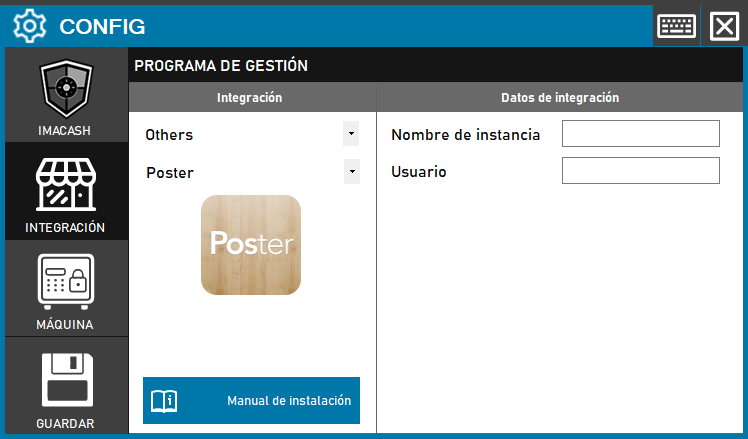
To integrate the Poster Software with ImaCash, the technician must enter the connection data that will be provided directly by the POSTER support team. It is essential to have the URL (which will be entered in the "Instance Name" field) and the Token (which will be entered in the "User" field).
Steps to follow
- CONFIG → INTEGRATION in ImaCash.
- Management Program:
- Category: Others.
- Integration: Poster.
- Integration data:
- Instance name: Enter the URL provided by Poster.
- User: Enter the Token provided by Poster.
- Save: Click the SAVE button (floppy disk icon).