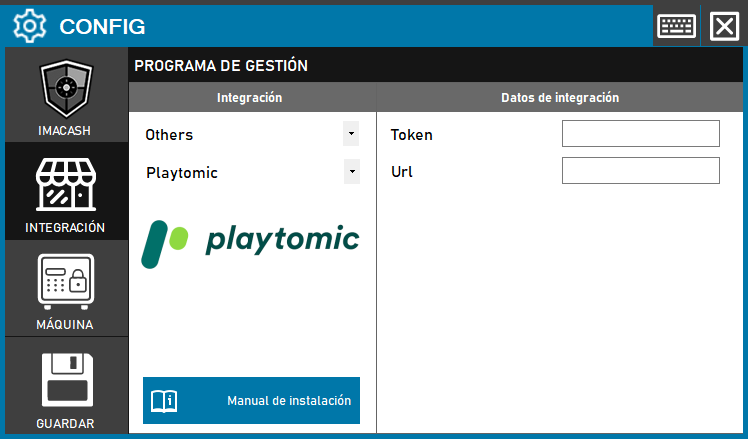
To integrate the Playatomic Software with ImaCash, the technician must obtain a User Token directly from the profile on the official Playatomic website. Additionally, it will be necessary to enter the specific URL assigned to the business.
Steps to follow
- CONFIG → INTEGRATION in ImaCash.
- Management Program:
- Category: Others.
- Integration: Playatomic.
- Integration data:
- Token: Private information provided by the administrator. Enter it only in ImaCash.
- Url: Enter the URL that the business provides for the integration.
- Save: Click the SAVE button (floppy disk icon).