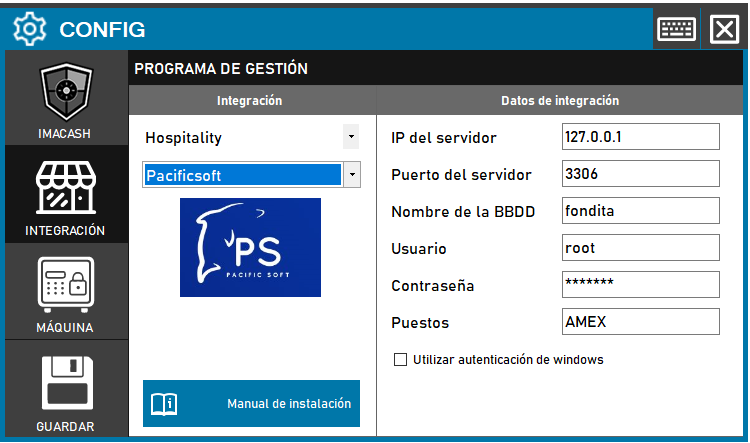
To integrate the Software Pacific Soft with ImaCash, the technician must configure the connection parameters to the MySQL server, including the IP, the Port, the Database Name and the access credentials.
Steps to follow:
- CONFIG → INTEGRATION in ImaCash.
- Management Program:
- Category: Hospitality.
- Integration: Pacificsoft.
- Integration data:
- Server IP: Enter the IP address (e.g. 127.0.0.1).
- Server port: Enter the corresponding port (e.g. 3306).
- Database Name: Enter the name of the database (e.g. fondita).
- User: Enter the access user (e.g. root).
- Contraseña: Private information provided by the administrator. Enter it only in ImaCash.
- Positions: Specify the name of the terminal or box (e.g. AMEX).
- Use Windows Authentication: Check this box only if this validation method is required.
- Save: Click the SAVE button (floppy disk icon).