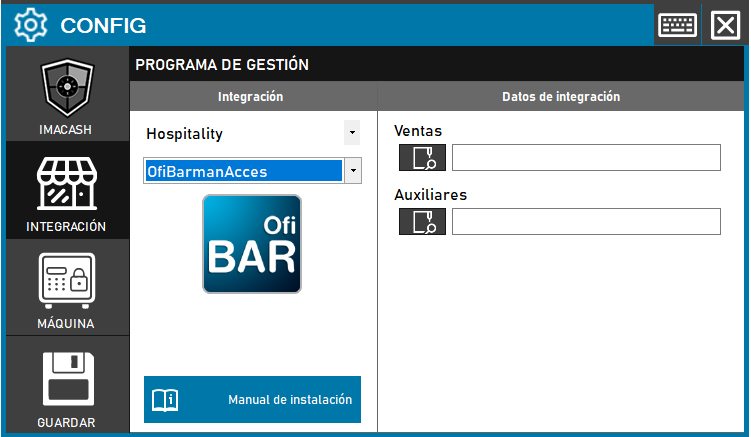
To integrate Ofibarman Acces with ImaCash, the technician must select the full path of two Access files (*.mdb) that contain the Sales and Auxiliary data.
Steps to follow:
- CONFIG → INTEGRATION in ImaCash.
- Management Program:
- Category: Hospitality
- Integration: OfibarmanAcces
- Integration data:
- Sales: Select the path to the Access sales file. The typical path is: C:\Ofimatica\OfiBarmanW\Datos\OfiHTPV\[número from company].mdb.
- Auxiliaries: Select the path of the Access auxiliary file. The typical path is: C:\Ofimatica\OfiBarmanW\Datos\OfiHotel[número from company].mdb.
- Save: Click the SAVE button (floppy disk icon).