It is a system for automatically recognizing characters directly from an image to convert them into text.
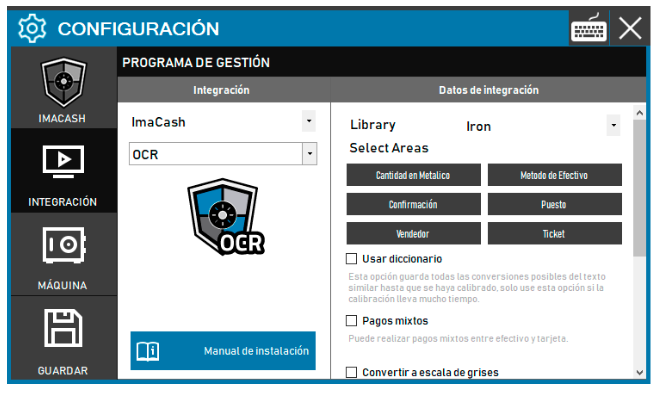
• Para acceder a ella se realizará desde Configuración/Integración/OCR
From here we will find the “Select Areas” menu where we click on each of the options:
• Cash Quantity
• Confirmation
• Seller
• Cash Method
• Position
• Ticket
When you click, a box will appear that must be placed in the area that we want to capture the information and tell it what amount or text it should find.
The program will calibrate the selected field automatically. Once the program is calibrated, every time a transaction is managed ImaCash will automatically generate the value or text from the designated area to display it in its corresponding place. If there are calibration problems, adjust to an optimal screen resolution.
IMPORTANT: When configuring the integration with this system, the ImaCash and the Integration must be on the same screen.