

Today I am looking at a part of ImaPlay Server that is prepared before a prize is paid: preferred notes and coins. Amount ranges allow a different approach for each prize size and show clearly where each rule starts and ends.
A small prize and a larger one may call for a different mix of cash. In Settings, Ranges brings those preferences together so an authorised person can review them side by side. The list shows the amounts covered by each rule, its preferred denominations and their combined total.
See which rule applies to each amount
In the fictional configuration shown here, the first range includes €10.00 and the next starts at €10.01. That one-cent step makes the boundary between rules clear. The last range also applies to amounts above its upper limit, which matters when preparing the whole set.
We can add rules, edit existing ones and remove those no longer needed. Before a deletion is confirmed, ImaPlay shows how the remaining ranges will look. That gives us a chance to review the effect on the configuration and cancel the proposal if it does not fit.
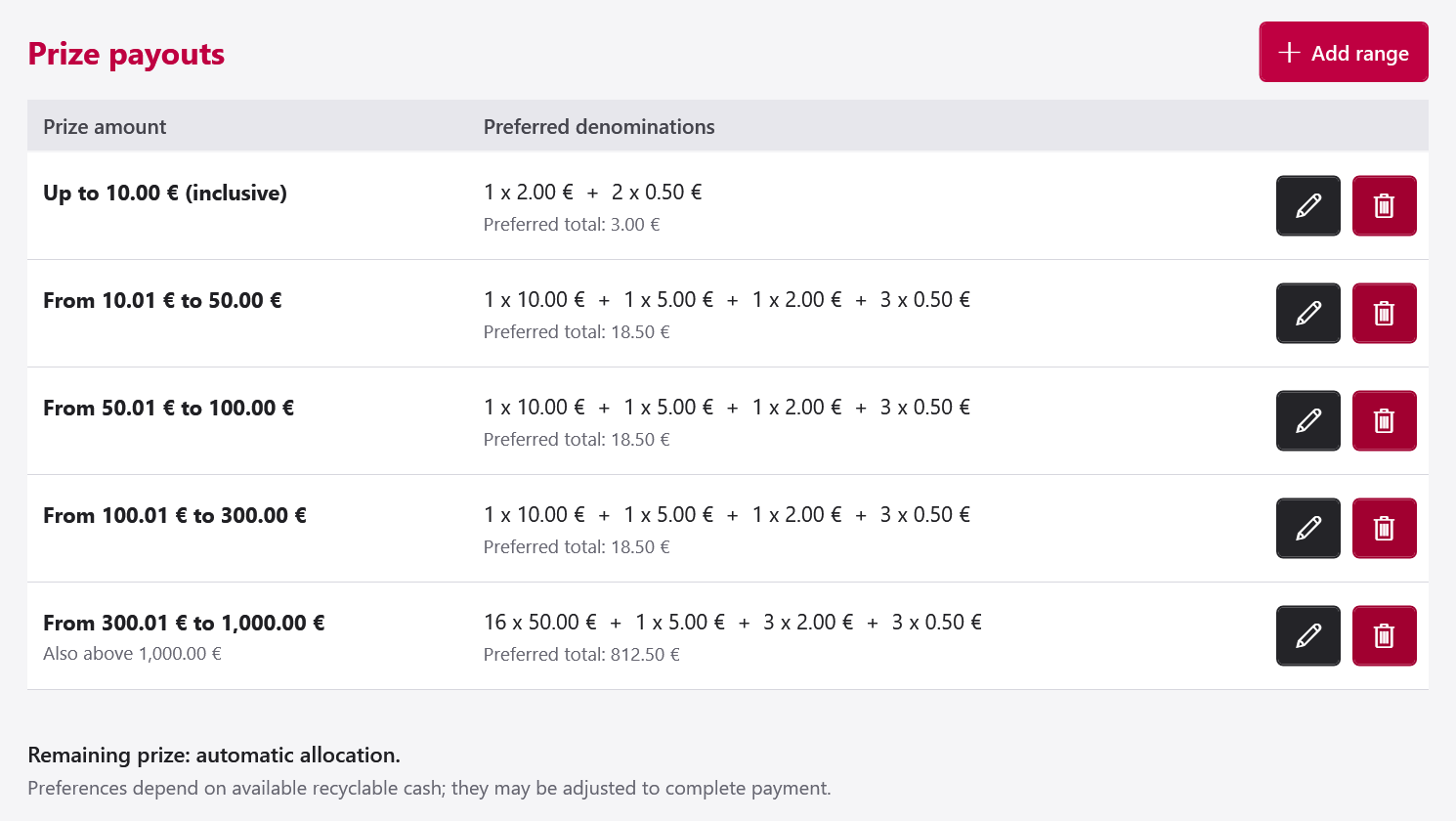
Choose the pieces and check the total
In the editor, the quantity of each note or coin forms a visible proposal. In our example for prizes up to €10.00, one €2.00 coin and two €0.50 coins make a preferred total of €3.00. The screen lets us check that sum while preparing the rule; the rest of the prize is allocated automatically.
Save keeps the configuration rule; Cancel discards the pending edit. These images show preparation only, without saving changes to an installation or requesting a payout.
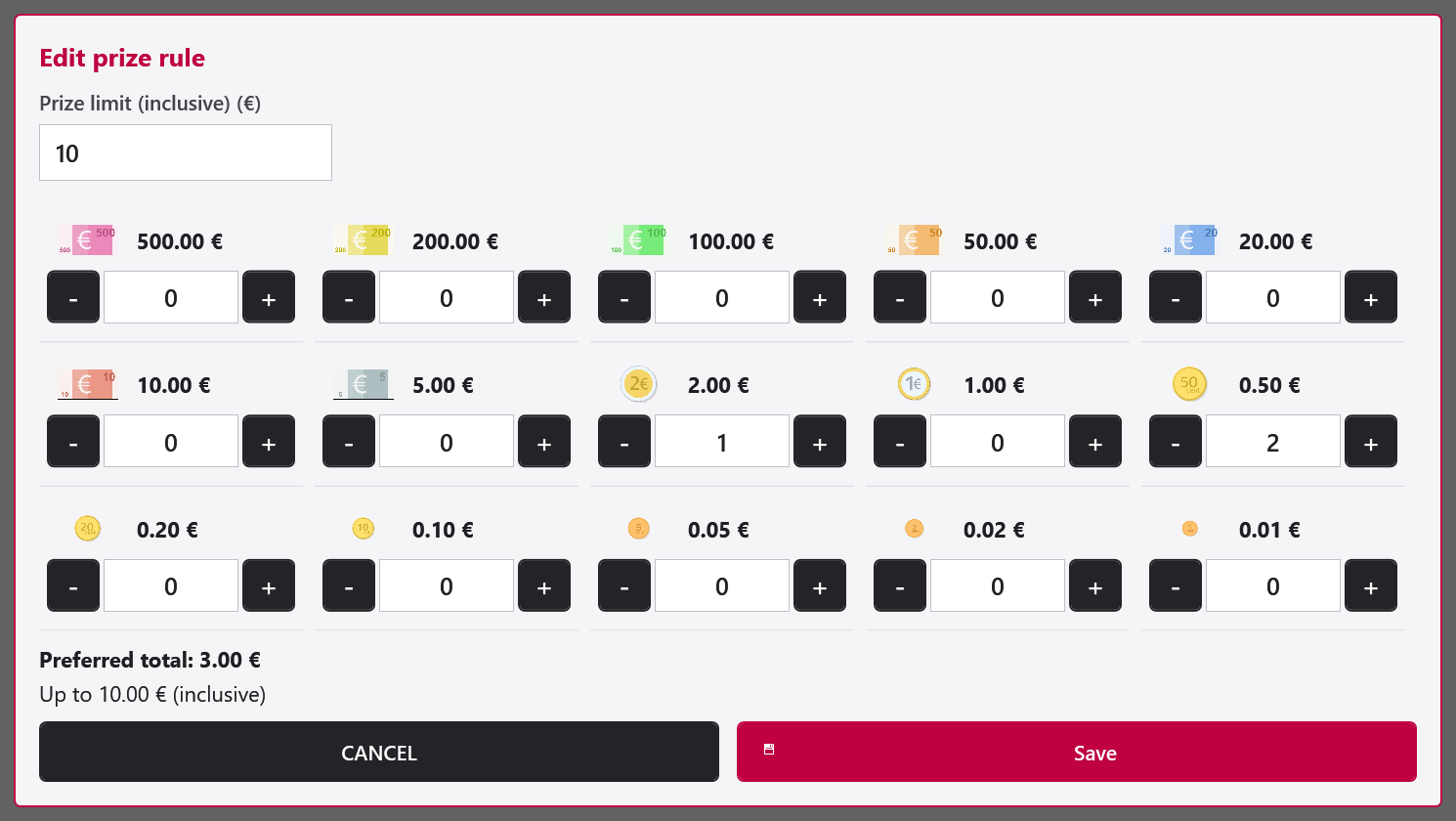
Preferences that account for available cash
Allocation still depends on the recyclable cash available. The chosen pieces are preferences and may be adjusted to complete payment; entering a quantity does not guarantee that every machine will always deliver that exact mix. This distinction helps us prepare a useful approach while keeping it separate from the physical outcome of a prize.
Full range management has been in the stable line since 19 October with ImaPlay Server 1.4.9.172, and remains included in stable version 1.4.9.195 checked for this article. The screenshots use the native controls from that earlier release, with fictional settings and localised text. In this journal entry, I wanted to explain how to read and prepare that configuration.