


Nisa Configuration (Epositive Evolution Till)
To integrate Nisa Software (Epositive Evolution Till) with ImaCash, the technician must fill in the database connection data where the software is installed: server IP, database name, user and password.
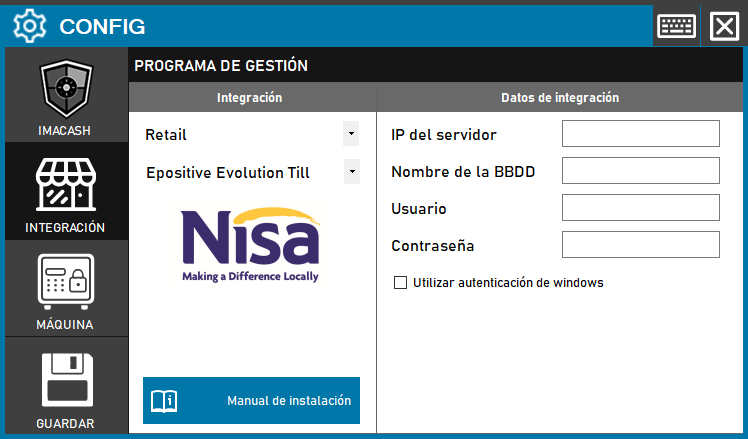
Steps to follow:
CONFIG → INTEGRATION in ImaCash.
Management Program:
Category: Retail
Integration: Epositive Evolution Till
Integration data:
Server IP: Enter the IP address of the server.
Database name: Enter the name of the database.
User/Password: Fill in the access credentials.
Use Windows Authentication: Check the box if applicable.
Save: Click the SAVE button (floppy disk icon).