Action required: the technician must locate the specific directory on the computer or network where the management software deposits the operation records.
Steps to follow:
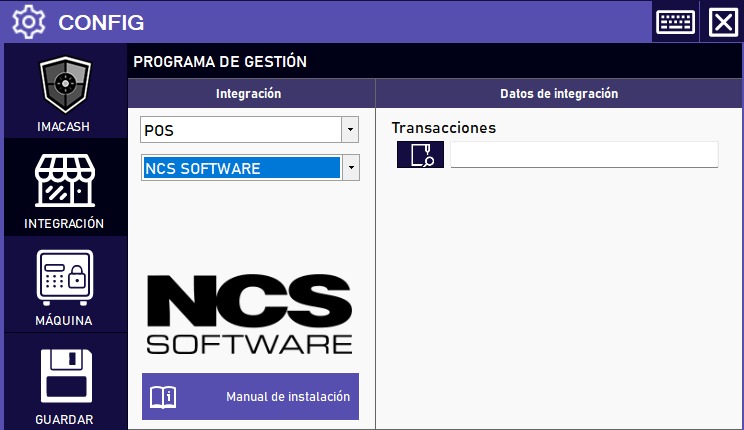
- Access the CONFIG → INTEGRATION menu in the side interface of ImaCash.
- In the Management program section, select the following values:
- Category: POS.
- Integration: NCS SOFTWARE.
- In the Integration Data section, complete the technical information:
- Transactions: Click the magnifying glass icon to navigate and select the folder path where the NCS transaction files are stored.
- Click the SAVE button (floppy disk icon) to register the settings.