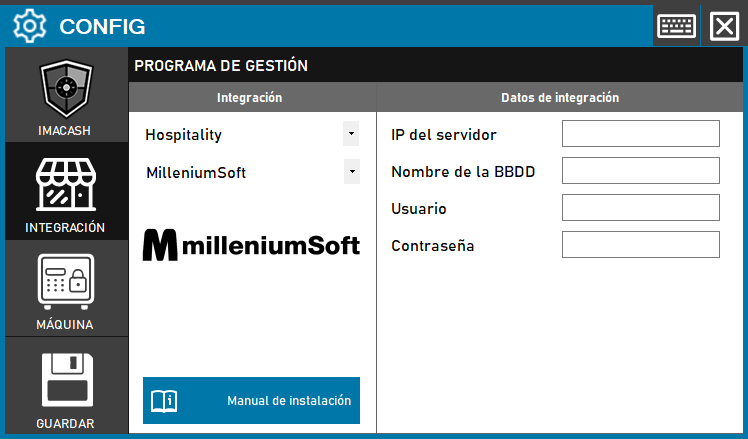
To integrate Software Millenium Soft with ImaCash, the technician must enter the IP of the server, the Name of the Database, the User and the Password of the database, since the Millenium Soft technicians must give access to the Database with these credentials. The Millenium Soft technician must give us access to the Database with its respective “username” and “password”.
Steps to follow:
- CONFIG → INTEGRATION in ImaCash.
- Management Program:
- Category: Hospitality
- Integration: MilleniumSoft
- Integration data:
- Server IP: Enter the IP address of the server.
- Database name: Enter the name of the database.
- User: Enter the access user.
- Password: Enter the password.
- Save: Click the SAVE button (floppy disk icon).