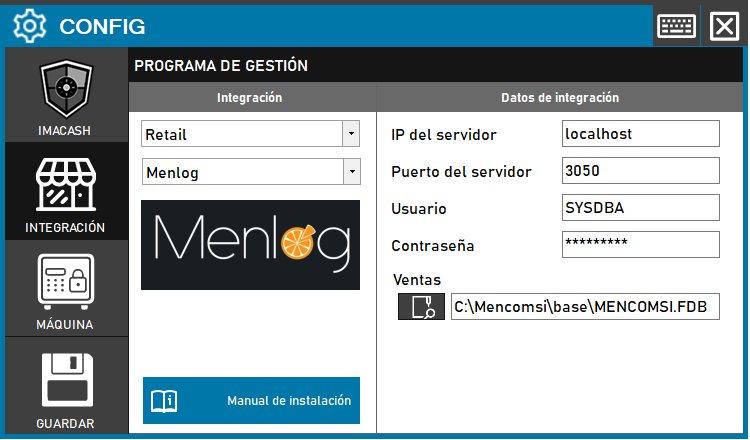
To integrate Menlog Software with ImaCash, the technician must enter the location of the database file (which is a FireBird file called MENCOMSI.FDB) and the
Steps to follow
- CONFIG → INTEGRATION in ImaCash.
- Management Program:
- Category: Retail
- Integration: Menlog
- Integration data:
- Server IP: Enter the server IP (e.g. localhost).
- Server port: Enter the port (e.g. 3050).
- Contraseña: Private information provided by the administrator. Enter it only in ImaCash.
- Sales: Locate and select the file path of the BBDD (e.g. C:\Mencomsi\base\MENCOMSI.FDB).
- Save: Click the SAVE button (floppy disk icon).
Additional configuration (if needed):
It may be necessary to change some parameters in the firebird.conf file without deleting the previous ones:
- AuthServer = Srp256, Srp
- AuthClient = Srp256, Srp, Win_Sspi #Windows clients
- UserManager = Srp