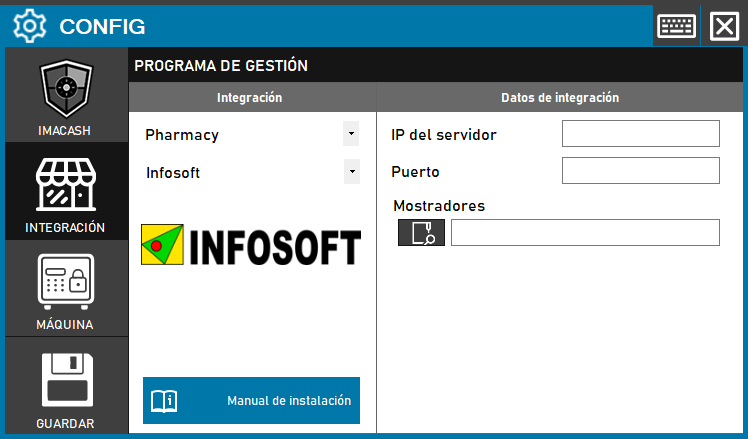
To integrate InfoSoft software with ImaCash, the technician must enter the server IP address and connection port, and also specify the full path to the Mostradores directory.
Steps to follow
- CONFIG → INTEGRATION in ImaCash.
- Management Program:
- Category: Pharmacy
- Integration: Infosoft
- Integration data:
- Server IP: Enter the IP address of the server.
- Port: Enter the connection port.
- Counters: Click the folder icon and enter or locate the full path of the Counters directory.
- Save: Click the SAVE button (floppy disk icon).