

AT-CASH EVO / AT-CASH ONE: Installation and configuration
AT·CASH is the automatic cash payment machine brand from Automated Transactions. ImaCash has separate selections for AT-CASH EVO and AT-CashOne. Confirm the installed model with the provider before setting up the connection.
Before starting, ask the installer to prepare the machine and enable its integration service on the private network. It must be reachable from the computer and Windows account running ImaCash.
AT-CASH EVO
In Configuration > Machine, select AT-CASH EVO for a device whose EVO interface has been confirmed by the provider.
AT-CASH ONE
For AT-CASH ONE, select AT-CashOne in Configuration > Machine. Use the ONE service details for that installation; EVO credentials and settings are not interchangeable.
For either model, enter the private machine server in IP and the HTTPS service port in Port. Fill in User and Password with the private details supplied by the administrator or provider. Do not copy factory values or details from another device.
Save the settings and check the connection from ImaCash. Verify the currency and operator permissions with the installer. Before commercial use, carry out supervised physical validation of the payment, change, refund and cancellation supported by that installation.
Pending operations and technical support
If a payment, refund or cancellation has no confirmed outcome, review the pending operation and the cash actually dispensed with the person responsible for the installation. Do not repeat the operation or restart or update the machine until its status is clear.
For AT-CASH EVO, if the message says that a software or firmware update may be needed and the error recurs, contact AT-CASH technical support. This is conditional advice: the message does not check the installed version or confirm that an update will resolve the problem.
Ask the supplier to confirm the service version, firmware and functions supported by that device. A successful connection does not establish that every type of emptying, withdrawal or cancellation is available. Any update must be handled by technical support after pending operations have been reviewed.
Confirm the model, service version and firmware for each installation. A catalogue listing and connection setup do not establish physical validation or compatibility with other models or every manufacturer feature.
Models and selection in ImaCash
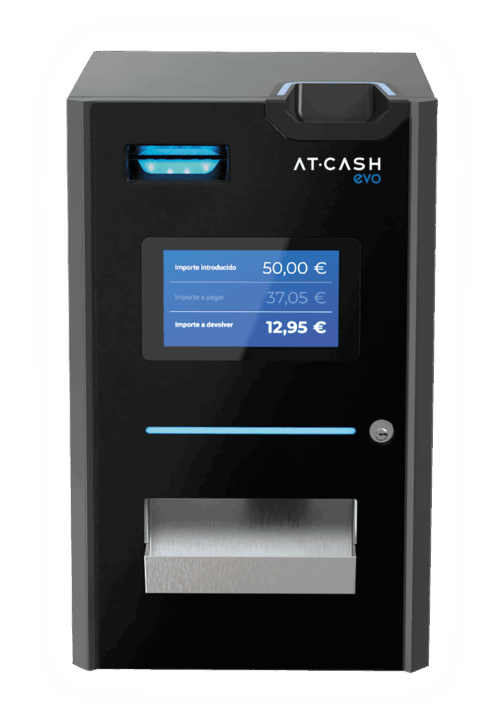
AT-CASH EVO
Select AT-CASH EVO in ImaCash and confirm the installed device service and firmware with the provider.
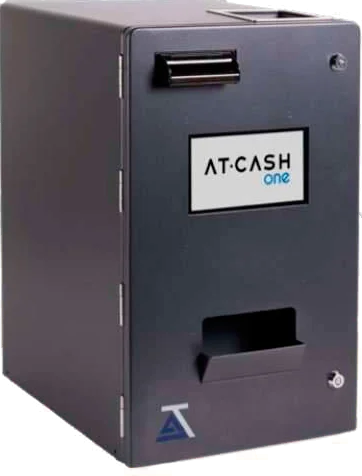
AT-CASH ONE
Select AT-CashOne in ImaCash and use the private connection and authentication prepared for the ONE device.