


SMARTtill with ImaCash | APG Solutions setup
SMARTtill counts banknotes and coins by weighing them. The operator inserts and removes the cash; the drawer does not dispense change automatically.
Before you start, ask your supplier to confirm the model, currency, firmware and serial connection suitable for your ImaCash installation.
- Connect the drawer to the Windows workstation using the supplier’s interface and drivers. Check that Windows recognises a COM port for the device.
- Open Configuration > Machine and select Smarttill. This is the SMARTtill option in ImaCash.
- Keep the serial port available for ImaCash. The administrator must close any supplier utilities or services using it. When connecting, ImaCash tries the saved port and searches other COM ports if necessary; this integration does not require entering a server address or password.
- Review discrepancy options with the person responsible and, if a camera is used, the video and retention options. Configure only the functions needed for your installation.
- Save the settings and check the connection. Before commercial use, validate cash readings and the complete drawer opening, cash handling and closing cycle with your supplier. Close the drawer so that ImaCash can receive the operation confirmation.
Scope and workstation checks
This guide describes the serial connection used by ImaCash. Other interfaces or services in the APG catalogue are not included merely because they share the manufacturer’s name. A provisional amount on screen does not confirm a completed operation; the drawer cycle must be completed. Configuration does not establish physical validation of a model.
Device and integration scope
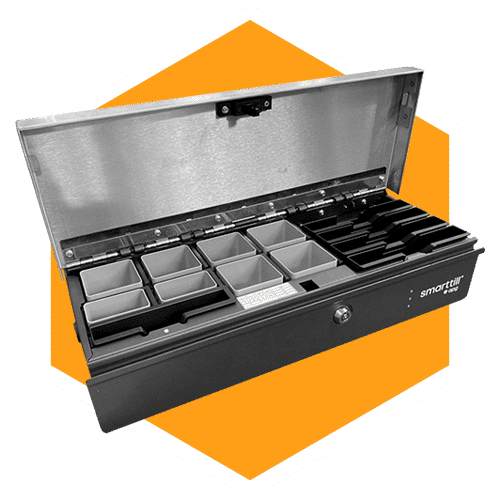
SMARTtill
Intelligent cash drawer with weighing-based counting and a serial connection to ImaCash. The operator handles the cash; confirm the model and its configuration with your supplier.