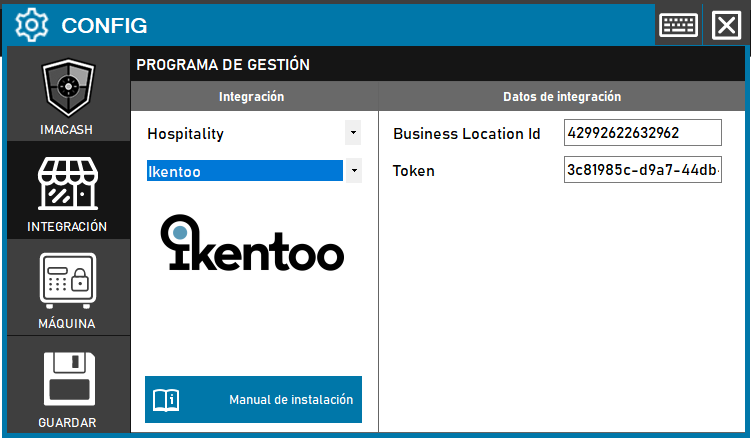
To integrate Ikentoo (Lightspeed) software with ImaCash, the technician must enter the Business Location Id and Token, which are the credentials required for the API connection.
Ikentoo (Lightspeed)
Steps to follow
- CONFIG > INTEGRATION in ImaCash.
- Management Program:
- Category: Hospitality
- Integration: Ikentoo
- Integration data:
- Business Location Id: Enter the business location ID (e.g. 42992622632962).
- Token: Private information provided by the administrator. Enter it only in ImaCash.
- Save: Click the SAVE button (floppy disk icon).