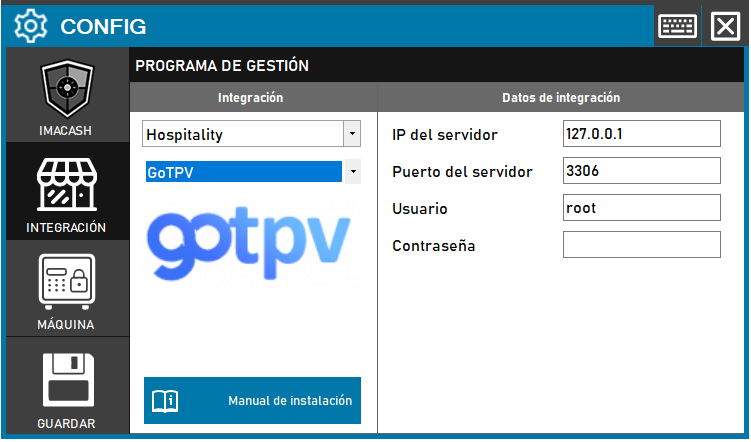
To integrate GoTPV Software with ImaCash, the technician must enter the complete connection details for the GoTPV database, including the server IP, port, username and password, although the parameters are usually defaults.
Steps to follow
- CONFIG > INTEGRATION in ImaCash.
- Management Program:
- Category: Hospitality
- Integration: GoTPV
- Integration data:
- Server IP: Enter the IP address of the server (e.g. 127.0.0.1).
- Server port: Enter the connection port (e.g. 3306).
- User: Enter the database access user (e.g. root).
- Contraseña: Private information provided by the administrator. Enter it only in ImaCash.
- Save: Click the SAVE button (floppy disk icon).