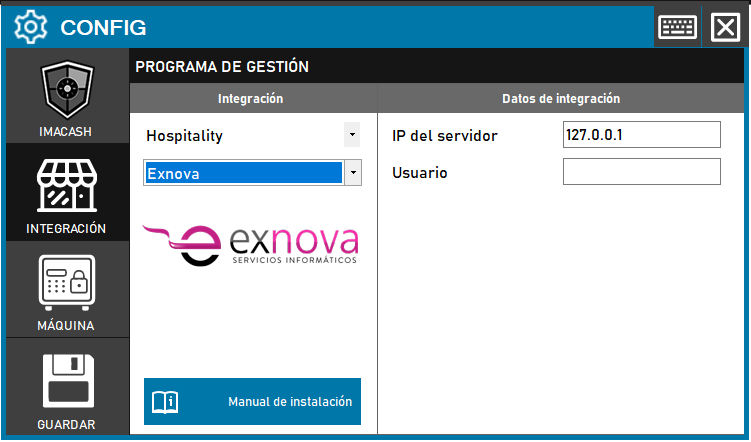
To integrate Exnova Software with ImaCash, the technician must enter the IP address of the server where Exnova is installed and the username that EXNOVA will provide for the connection.
Steps to follow
- CONFIG > INTEGRATION in ImaCash.
- Management Program:
- Category: Hospitality
- Integration: Exnova
- Integration data:
- Server IP: Enter the IP address of the server where Exnova is installed (e.g. 127.0.0.1 if local).
- User: Enter the username that will be provided by EXNOVA.
- Save
- Click the SAVE button (disk icon).