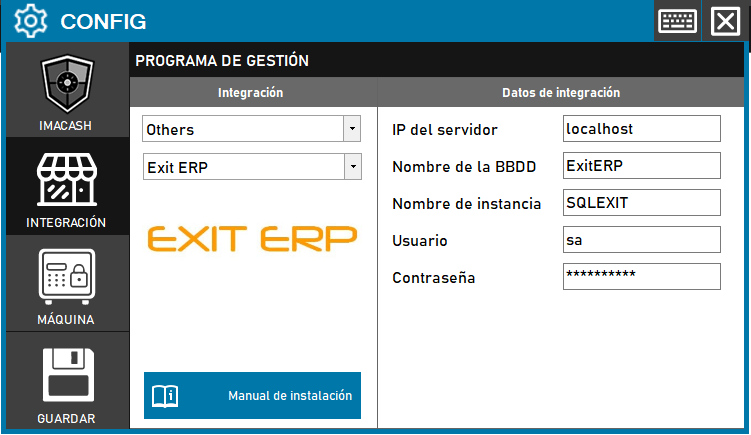
To integrate Exit ERP Software with ImaCash, the technician must specify the IP address of the server where the Exit ERP database is installed, since the rest of the connection data is usually preconfigured.
Steps to follow:
- CONFIG → INTEGRATION in ImaCash.
- Management Program:
- Category: Others
- Integración: Exit ERP
- Integration data:
- IP del servidor: Introducir la dirección IP del servidor donde se encuentra la base de datos (ej. localhost o la IP de red).
- Nombre de la BBDD: Usar el nombre de la base de datos (ej. ExitERP).
- Nombre de instancia: Usar el nombre de la instancia (ej. SQLEXIT).
- Usuario: Usar el usuario de la base de datos (ej. sa).
- Contraseña: Private information provided by the administrator. Enter it only in ImaCash.
- Save
- Click the SAVE button (disk icon).