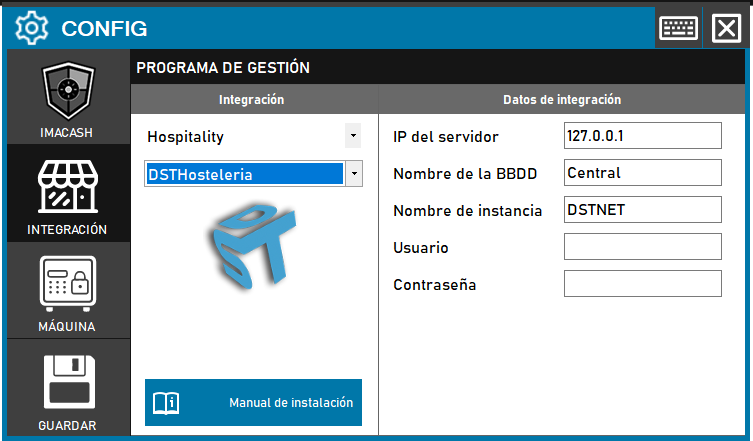
Steps to follow:
- Access the integration settings:
- Go to CONFIG → INTEGRATION in your ImaCash system
- Select the POS system:
- Select the POS category, in this case «Hospitality»
- Then select DSTHosteleria from the drop-down menu
- Complete the connection information:
- Server IP: Enter the IP address of the server where DST Hospitality is installed (example: 127.0.0.1 for local server)
- Name of the BBDD: Name of the database (example: Central)
- Instance Name: Name of the SQL Server instance (example: DSTNET)
- User: User with access permissions to the database
- Contraseña: Private information provided by the administrator. Enter it only in ImaCash.
- Save the configuration:
- Click the SAVE button (save icon) at the bottom left