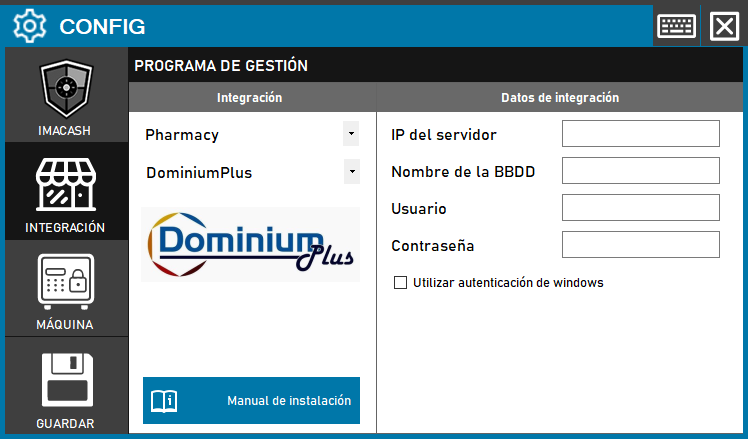
Action Required: Fill in the network, database and security credentials fields, ensuring activation of Windows authentication.
Steps to follow:
- Open the CONFIG → INTEGRATION menu in the ImaCash interface.
- In the Management Program section, select the following values:
- Category: Pharmacy.
- Integration: DominiumPlus.
- In the Integration Data section, complete the technical information:
- Server IP: Enter the IP address of the machine where the database is installed.
- Database Name: Specifies the name of the DominiumPlus database.
- User: Authorized user name for the connection.
- Password: User access code.
- Authentication:
- The Use Windows authentication checkbox must be selected to establish the connection.
- Card ID:
- Enter the identifiers for all card payment methods that the system should recognize and display.
- Click the SAVE button (disk icon) to confirm and activate the integration.