Steps to follow:
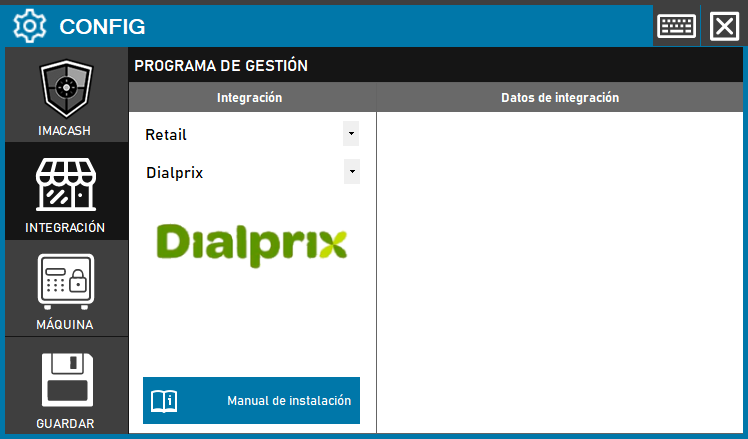
- Access the integration settings:
- Go to CONFIG → INTEGRATION in your ImaCash system.
- Select the POS system:
- Select the POS category, in this case “Retail”.
- Then select Dialprix from the drop-down menu.
- Save the configuration:
- Click the SAVE button (disk icon) at the bottom left.