
ImaCash integration

DB2Cash Dll

The DB2 Cash Dll integration with ImaCash does not require any additional data configuration. This integration works through a DLL library that communicates directly with the system.

DB2Cash Dll
Emulators

Steps to follow:

1. Open the integration settings:

  • Go to CONFIG → INTEGRATION in your ImaCash system

2. Select the integration type:

  • Select the “ImaCash” category
  • Then select DB2Cash Dll from the drop-down menu

3. Save the configuration:

  • Click the SAVE button (save icon) at the bottom left
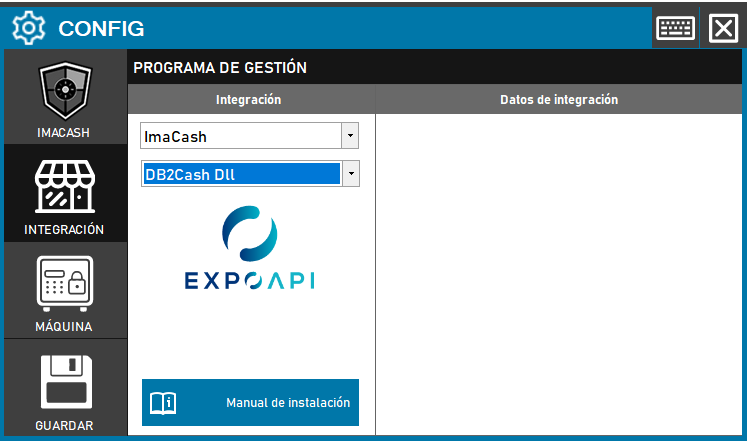
DB2Cash Dll configuration screenshots

Integration ready to move forward

If this integration matches your software, the next step is moving into real operation

We can help you validate the scope, confirm compatible hardware and prepare the next implementation step.