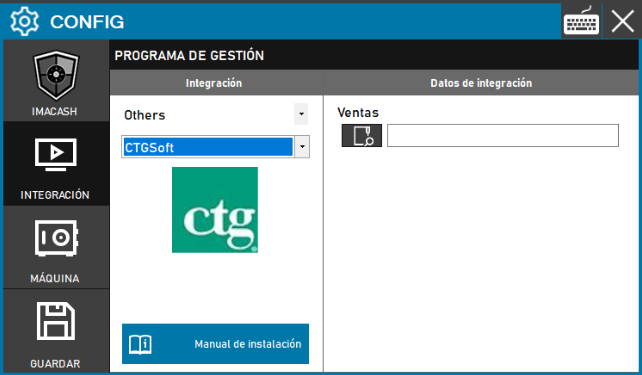
CTGSoft configuration
To integrate CTGSoft with ImaCash, the technician must specify the full path of the folder where the POS software saves sales files or records so ImaCash can read them.
Steps to follow
- Access the integration configuration:
- Go to CONFIG → INTEGRATION in your ImaCash system.
- Select the POS system:
- Select the POS category, in this case "Others".
- Then select CTGSoft from the drop-down menu.
- Complete the connection details:
- Sales: Click the folder icon and locate or enter the full path of the directory where CTGSoft stores sales information.
- Save the configuration:
- Click the SAVE button (disk icon) at the bottom left.
Note: The technician must fill in the path of the “Sales” folder where the software leaves the sales.