Cosmo Management Configuration
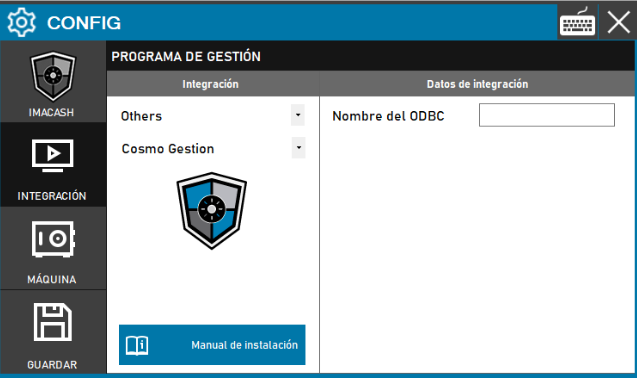
To integrate Cosmo Gestión with ImaCash, only the ODBC name created by the software technician needs to be specified.
Steps to follow
- Access the integration settings:
- Go to CONFIG > INTEGRATION in your ImaCash system
- Select the POS system:
- Select the POS category, in this case «Others»
- Then select Cosmo Gestión from the drop-down menu
- Complete the configuration data:
- ODBC Name: Enter the name of the ODBC (Open Database Connectivity) that the Cosmo Gestión technician must previously create in the system
- Save the configuration:
- Click the SAVE button (save icon) at the bottom left
Note: Only the "ODBC Name" must be specified, which must be created by the Cosmo Gestión software technician itself. This name is configured in the operating system's ODBC data source manager and must exactly match the one configured in Cosmo Management.