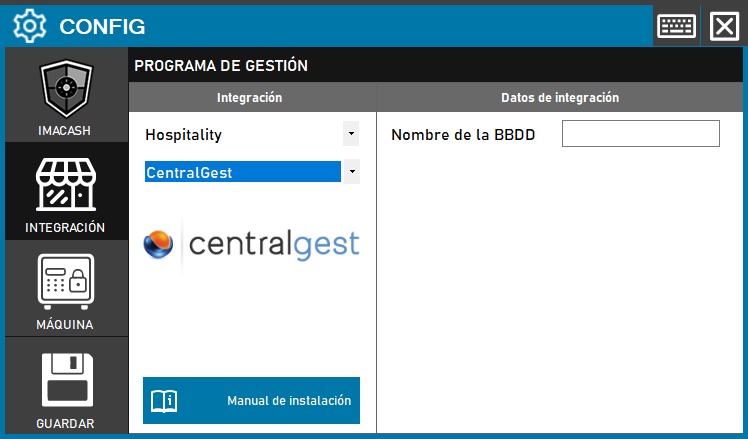
Steps to follow:
1. Open the integration settings:
- Go to CONFIG → INTEGRATION in your ImaCash system
2. Select the POS system:
- Select the POS category, in this case «Hospitality»
- Then select CentralGest from the drop-down menu
3. Complete the configuration data:
- Database Name: Enter the name of the ODBC (Open Database Connectivity) that Central Gest uses to connect to its database
4. Save the configuration:
- Click the SAVE button (save icon) at the bottom left
Note: The name of the ODBC that Central Gest uses to work must be specified. This name is configured in the operating system's ODBC data source manager and must exactly match the one configured in Central Gest.