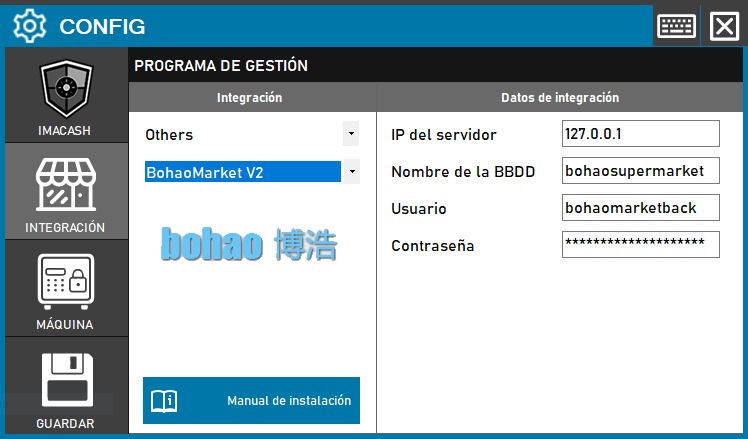
BohaoMarket V2 configuration
To integrate version 2 of Bohao Market:
1. Open the integration settings:
- Go to CONFIG → INTEGRATION in your ImaCash system
2. Select the POS system:
- Select the POS category, in this case «Others»
- Then select BohaoMarket V2 from the dropdown menu
3. Complete the connection details:
- Server IP: Enter the IP address of the server where Bohao Market V2 is installed (example: 127.0.0.1)
- Name of the BBDD: Name of the database (example: bohaosupermarket)
- User: User with access permissions to the database (example: bohaomarketback)
- Contraseña: Private information provided by the administrator. Enter it only in ImaCash.
4. Save the configuration:
- Click the SAVE button (save icon) at the bottom left
Important: Check which version of Bohao Market is installed on the client before selecting the correct integration variant.