This mode requires constant connectivity on the ImaCash device so synchronization can work correctly.
Steps to follow:
- Access the configuration menu
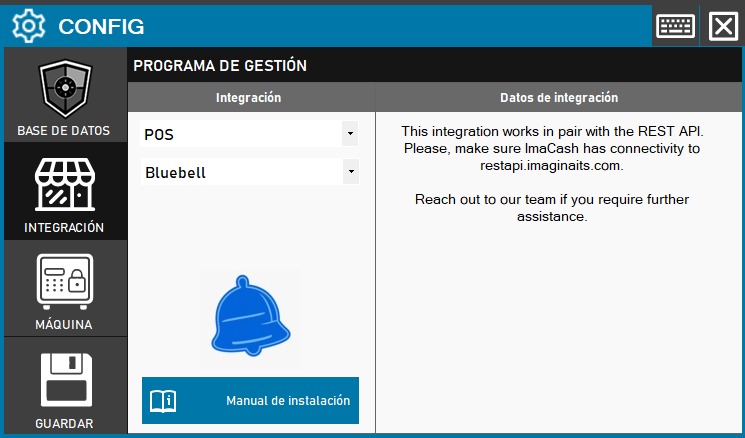
- Enter the INTEGRATION section from the ImaCash side panel.
- Select the program: in the Management program section, choose the following values:
- Category: POS.
- Integration: Bluebell.
- Check connectivity
- Make sure the device has access to restapi.imaginaits.com
- The customer firewall or network must allow HTTPS communication to this specific domain.
- Implementation from the POS
- The management software must make the required API calls to create transactions, check statuses, and handle confirmations or cancellations.
- Save the configuration
- Click the SAVE button (disk icon) to activate the link.