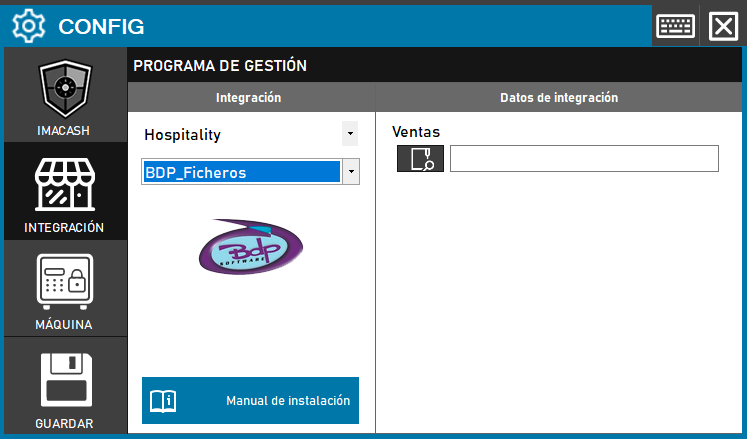
BDP_Ficheros configuration
- Access the integration settings:
- Go to CONFIG → INTEGRATION in your ImaCash system
- Select the POS system:
- Select the «Hospitality» category
- Next, select BDP_Ficheros from the dropdown menu
- Set the file path:
- Sales: Click the folder icon and enter the path where BDP generates the sales files
- Save the configuration:
- Click the SAVE button (disk icon)
Note: This variant works using files, so it only requires specifying the path where BDP stores the sales files.
Important: Choosing the correct variant will depend on the BDP version installed and the type of integration required by the customer. Check with the person responsible for the BDP system which variant is appropriate before proceeding with the configuration.