Steps to follow
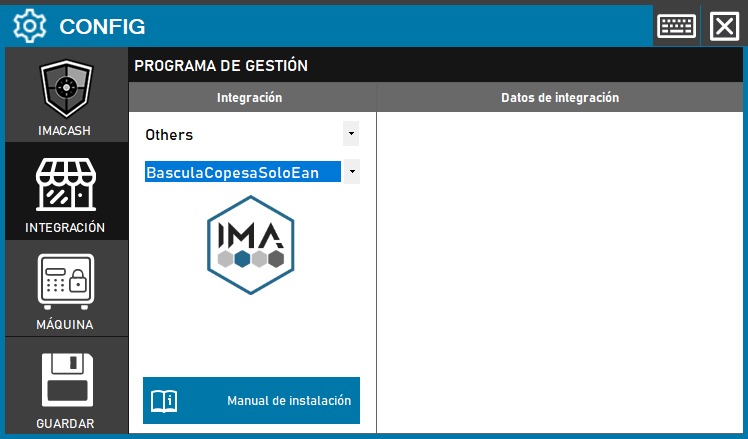
- Access the integration settings:
- Go to CONFIG → INTEGRATION in your ImaCash system
- Select the POS system:
- Select the POS category, in this case «Others»
- Next, select BASCULA COPESASoloEan from the dropdown menu
- Save the configuration:
- This option does not require additional configuration data
- Click the SAVE button (save icon) at the bottom left
Note: The choice between these three options will depend on the specific needs of the client and the type of integration required with the Copesa scale system. Check with your system administrator for the appropriate configuration before proceeding.